Introdution
SIC is the encrypted, certificate-based trust relationship between the SMS and every gateway it manages. Without SIC, the SMS can’t push policy, and the gateway won’t accept configuration from anyone.
1 – Create Cluster
- Create a new Cluster object in SmartConsole, entering the management/SIC IP (e.g.,
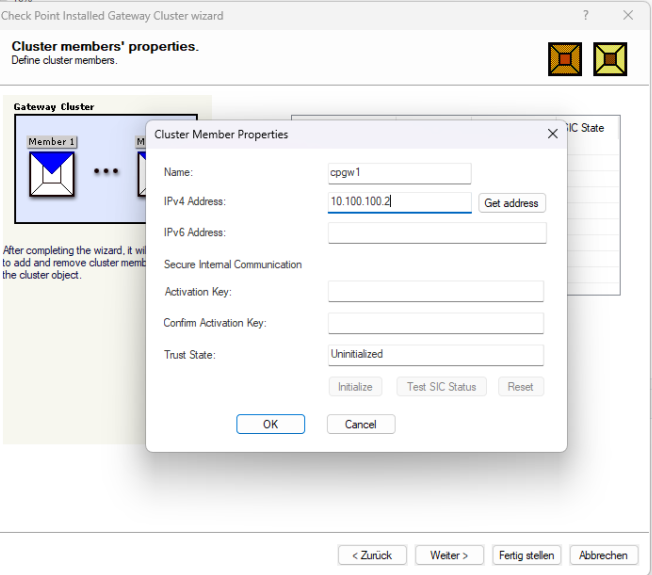
10.100.100.104). - Specify the first Cluster member (e.g.,
10.100.100.102) and initialize SIC by entering the one-time activation password that was set locally on the gateway during its first-time wizard. - SmartConsole and the gateway exchange certificates issued by the SMS’s Internal Certificate Authority (ICA); once this succeeds, the object shows a trusted status.
- Repeat for the second cluster member (
10.100.100.103) - Complete the installation wizard
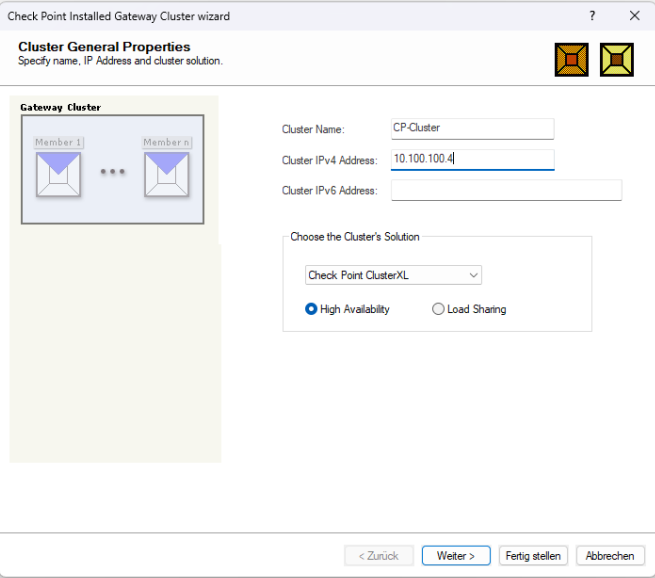
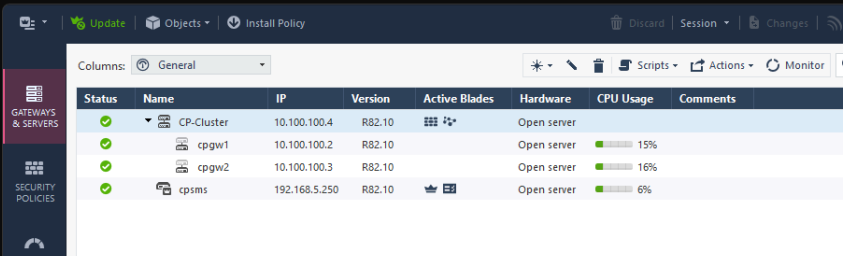
in SmartConsole you should see both gateways into the Cluster object , so they’re managed as a single logical gateway.
This is exactly why the SIC network is drawn as its own isolated segment in the diagram — it’s carrying the credentials that let the SMS push policy to production firewalls, so it deserves the same isolation you’d give any other sensitive control plane.
2 – Define cluster Network interfaces
In a Check Point cluster, correct interface assignment and the Virtual IP (VIP) are critical because they determine how the cluster operates and provides high availability.
- Interface assignment: Every cluster member must have matching interfaces (same network, same role, same topology). ClusterXL uses these interfaces to synchronize state, monitor link health, and forward traffic. Incorrect interface assignments can cause synchronization failures, cluster instability, routing problems, or failed failovers.
- Virtual IP (VIP): The VIP is the shared IP address that clients and routers use as their default gateway. Only the active cluster member owns the VIP and processes traffic. During a failover, the standby member takes over the VIP, allowing traffic to continue with minimal interruption and without requiring clients to change their gateway configuration.
After Cluster object is created, you can edit it and define manually the network interfaces:
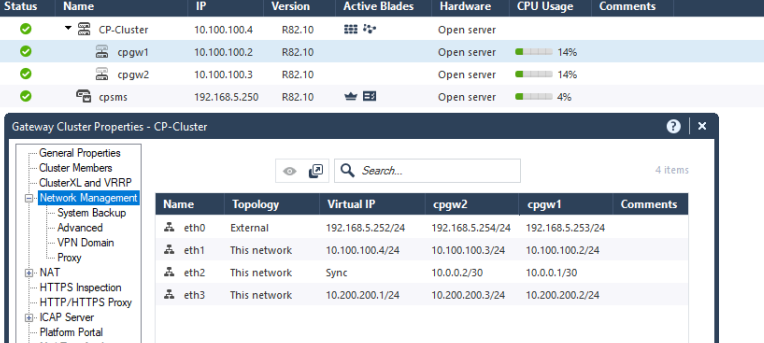
The Sync interface in a Check Point cluster is a dedicated interface used only for communication between cluster members. It will not be joined as cluster interface.
3 – SIC connectivity quick Troubleshooting
If for some reason, trust cannot be established:
Verify network connectivity
Verify the SMS can reach the target gateway on the dedicated management SIC IP (e.g. 10.100.100.102) over the responsible tcp port (18208). It is associated with the Check Point daemon communication before the secure channel is fully established
If you are not able, to establish the connection, check on the target gateway, if the port is on listening status:
telnet 10.100.100.102 18208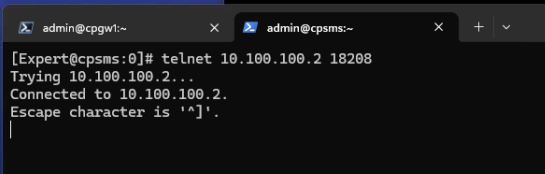
ss -tunlp | grep 18208
Verify Check Point services
Ensure cpd is running on both the SMS and the gateway:
cpwd_admin list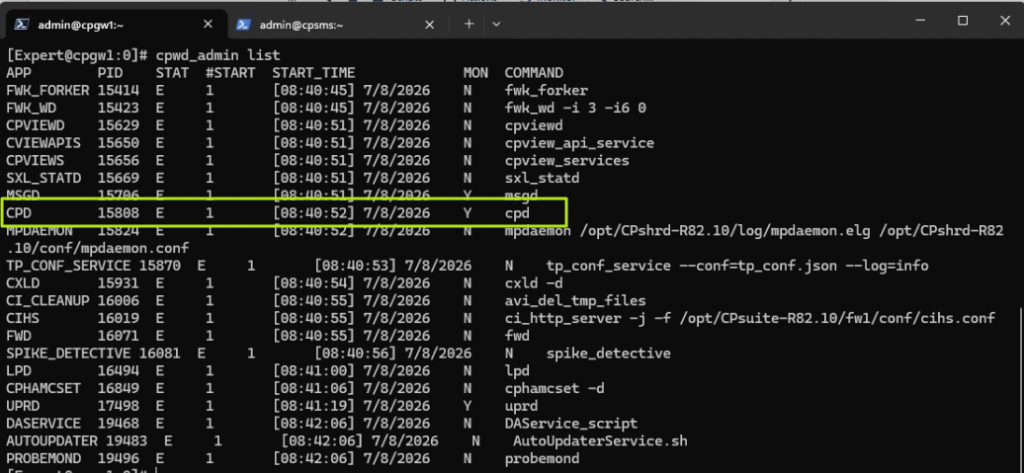
Reset SIC (if trust cannot be established)
If trust is broken, you may need to reset SIC and re-establish it using the one-time activation key.
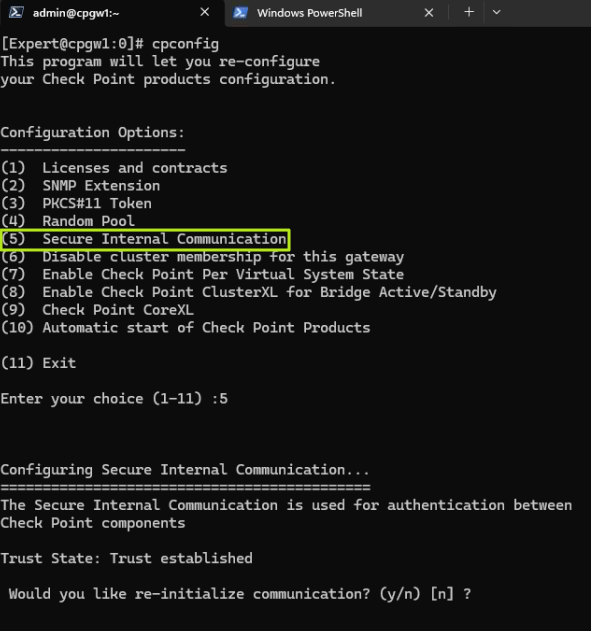
cpconfigSelect Secure Internal Communication, then Reset and configure a new one-time activation password.